
Heading tags basic HTML for a building a website
Learning heading tags for a basic website
During this computer lesson you will learn about heading tags used for building a basic website in HTML.
How to start writing writing your first webpage
To start writing the code below, you need to right click on your desktop and choose new, then click on new text document.
Heading tags explained
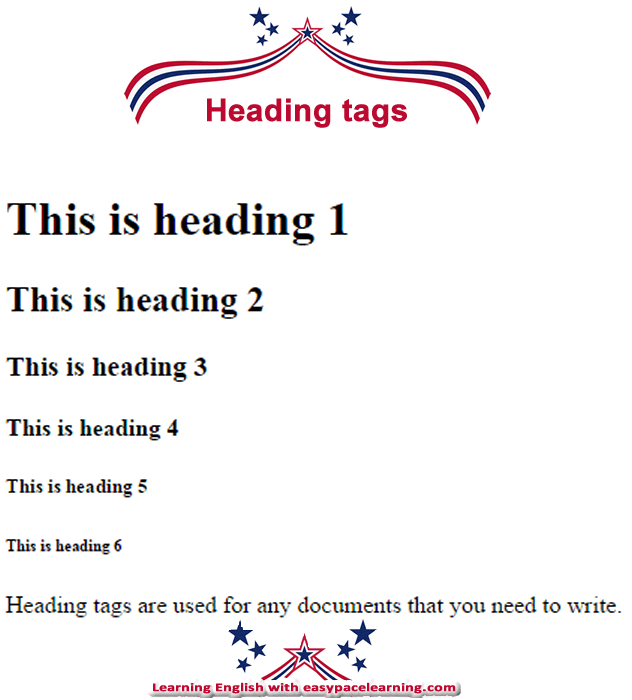
Heading tags are used for making headings on a webpage. There are 6 heading tags, which are:
<h1> </h1> This is the biggest.
<h2> </h2>
<h3> </h3>
<h4> </h4>
<h5> </h5>
<h6> </h6> This is the smallest.
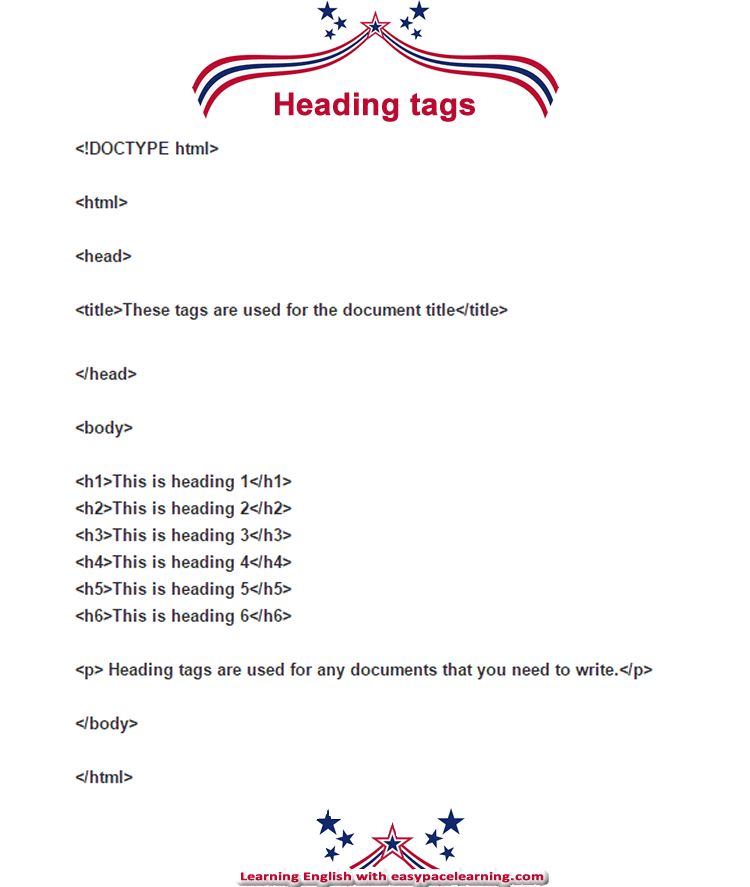
Copy the text below in the text document and save as myfirstwebpage.html to your desktop
YOU MUST SAVE AS .HTML
<!DOCTYPE html>
<html>
<head>
<title>These tags are used for the document title</title>
</head>
<body>
<h1>This is heading 1</h1>
<h2>This is heading 2</h2>
<h3>This is heading 3</h3>
<h4>This is heading 4</h4>
<h5>This is heading 5</h5>
<h6>This is heading 6</h6>
<p>Heading tags are used for any documents that you need to write.</p>
</body>
</html>
How to view the webpage
After saving the file headingtags.html to your desktop, you can view it by clicking on the file. This will open it using the web browser of your choice.
What heading tags from h1 to h6 look like
Lessons that might be related to heading tags for a basic webpage
Basic HTML tags and their meaning
Basic HTML for a basic website
Dictionary and how to use dictionaries
Click on the following link for the Online English dictionary - English lesson
Picture of code used


.jpeg)
.jpeg)
.jpeg)

.jpeg)
.jpeg)
.jpeg)
.jpeg)
.jpeg)
.jpeg)
0 टिप्पणियाँ
If you have any Misunderstanding Please let me know